Click to download now, finish the installation quickly, and directly unlock the all-round experience
Screenshots
Click to download now, finish the installation quickly, and directly unlock the all-round experience
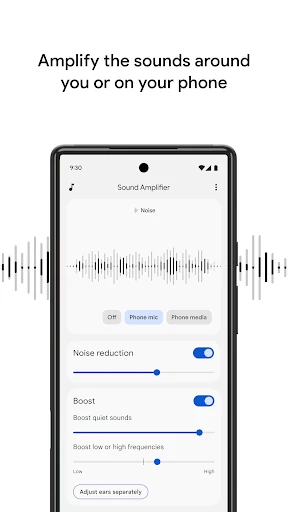
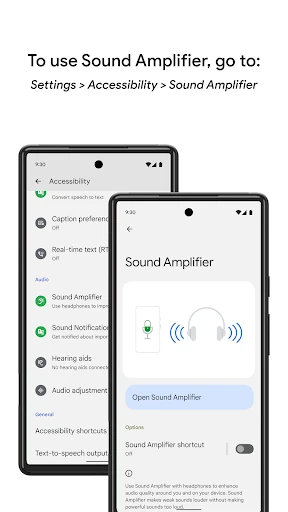
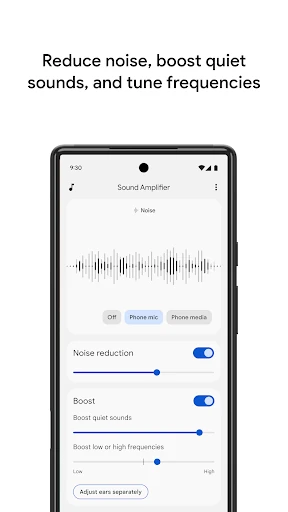
Sound Amplifier uses your Android phone’s microphone and on-device processing to make nearby speech easier to hear through connected headphones. It is suited to people who have difficulty following conversations, lectures, or other spoken audio when background noise makes listening harder. It can also amplify sound from media played on the phone.
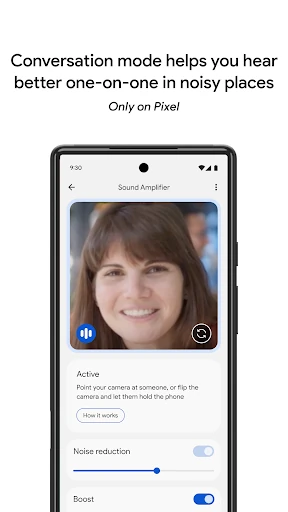
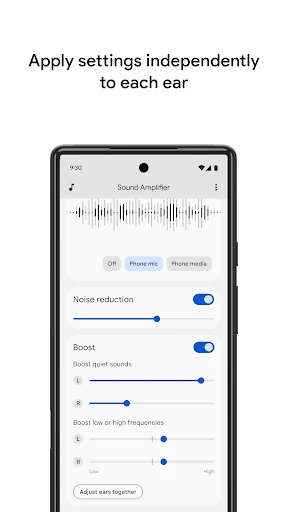
The app combines amplification with noise reduction and speech enhancement, helping bring voices forward while reducing some surrounding distractions. On supported Pixel devices, Conversation mode can focus on one speaker in a busy room. You can also adjust sound separately for the left and right ears, which is useful when your hearing is not the same on both sides.
Sound Amplifier requires headphones, and Bluetooth equipment may introduce a delay between a sound and when you hear it. That can matter during live conversations, so wired headphones may be preferable where timing is important. The app is designed as an accessibility aid rather than a replacement for professional hearing equipment. Its audio processing is performed on the device, with no audio data collected or stored according to the supplied app information.
Developed by Google LLC, Sound Amplifier is listed in Communication and has more than 100,000,000 installs. Its rating is approximately 3.7/5 from 88,429 reviews. The large install base reflects its role as a practical Android accessibility tool, while the controls give users room to adjust listening to their own needs.